python
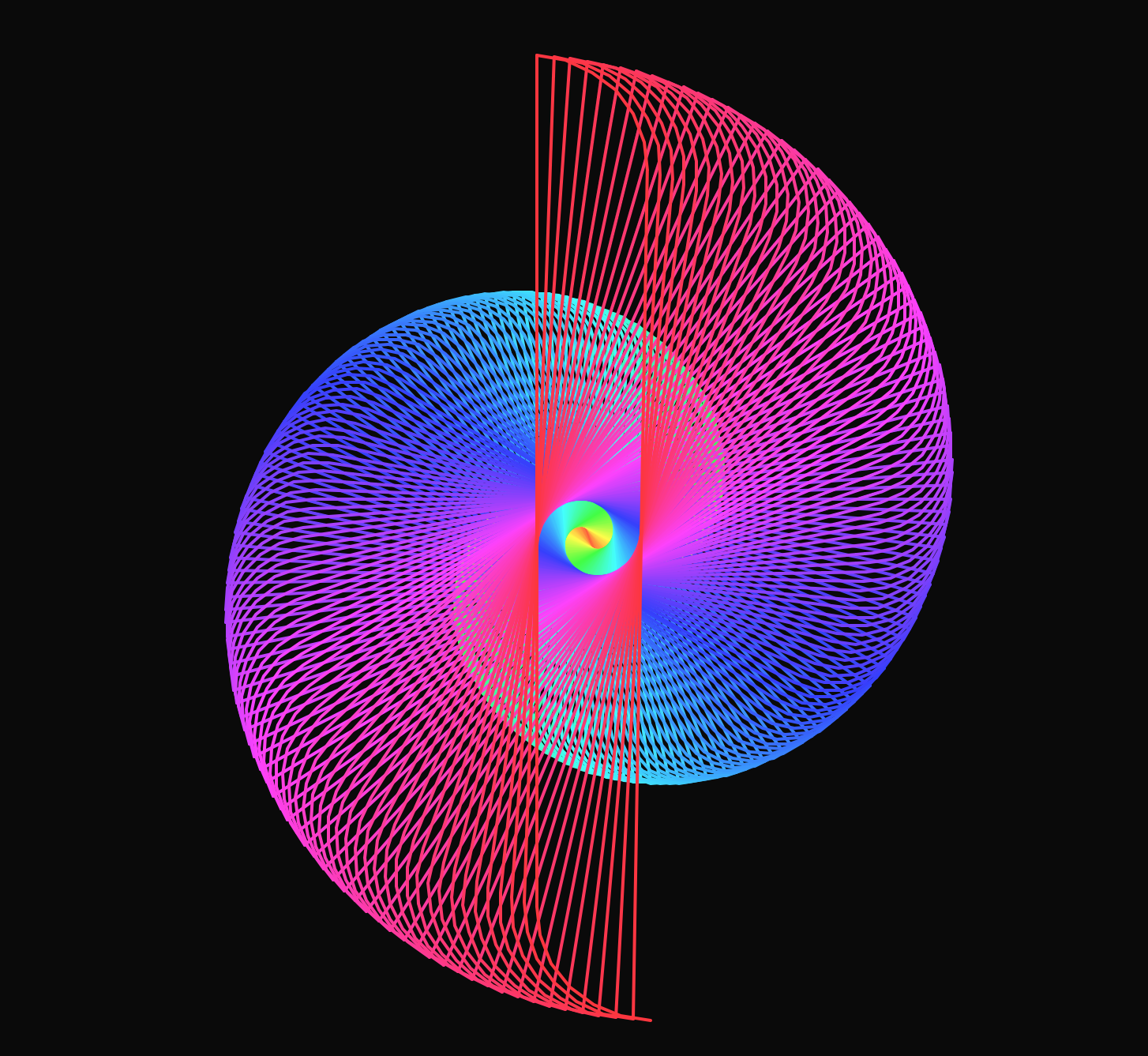
Neon - Python Animation
this dynamic visual vibe brings your creations to life with a glowing, futuristic touch. Ignite your imagination and let the neon glow inspire your next masterpiece.
neon-python-animation.py
1import turtle
2import colorsys
3
4# Setup the screen for a cinematic feel
5screen = turtle.Screen()
6screen.setup(width=1000, height=1000)
7screen.bgcolor("#0a0a0a")  # Deep space black
8screen.title("PythonKing: Amazing Python")
9screen.tracer(10) # Higher tracer value makes the complex drawing much smoother
10
11# Setup the turtle
12t = turtle.Turtle()
13t.speed(0)
14t.width(2)
15t.hideturtle()
16
17def draw_neon_mandala():
18    """Generates a high-density geometric flower with a neon spectrum."""
19    h = 0  # Initial hue
20
21    # We loop 360 times to create a full circular geometry
22    for i in range(360):
23        # Professional HSV to RGB conversion for the neon effect
24        c = colorsys.hsv_to_rgb(h, 0.8, 1)
25        t.pencolor(c)
26        h += 1/360 # Cycle perfectly through the rainbow
27
28        # The Secret Formula: A shifting spiral
29        # Turning by 91 degrees creates a square-based star that rotates
30        t.left(91)
31        t.forward(i * 1.5)
32
33        # Add a "petal" effect by drawing a small circle at each tip
34        t.circle(i * 0.2, 90)
35
36    # --- Final Branding Locks ---
37    t.up()
38    t.goto(0, 0)
39    t.color("white")
40
41    # Subtle background glow for the text
42    t.goto(0, -350)
43    t.color("gray")
44    t.write("www.pythonking.io", align="center", font=("Courier", 12, "italic"))
45
46# Execution
47draw_neon_mandala()
48
49# Keep the window open for the end screen
50turtle.done()
Ready to Level Up?
Stop guessing what to learn next. Get the structured path that separates senior engineers from everyone else.
Grab Your Free Roadmap